You haven't signed in yet, you can have a better experience after signing in
*Please complete the payment within {{receiveCouponInfo.expire_at}}Previous use*
You haven't signed in yet, you can have a better experience after signing in



Activity Rules
1、Activity time:{{ info.groupon.start_at }} ~ {{ info.groupon.end_at }}。
1、Activity time:cease when sold out。
2、Validity period of the Group Buying:{{ info.groupon.expire_days * 24 }} hours。
3、Number of Group Buying:{{ info.groupon.need_count }}x。
Please Pay Attention
1、Teamwork process: Join/initiate a Group Buying and make a successful payment - Within the validity period, the number of team members meets the activity requirements - Group Buying succeeded!
2、If the number of participants cannot be met within the valid period, the group will fail, and the paid amount will be refunded in the original way.
3、The number of people required and the time of the event may vary among different products. Please pay attention to the rules of the event.

Discovering the World of Visual Effects
Light up your video
Manipulate lighting to alter the aesthetic of the lens. Add realistic lighting, leakage, and lens halo.
Light up your creations
Create amazing results
Use professional tools to create stunning video effects, adjust and modify screen details, or emphasize video highlights.
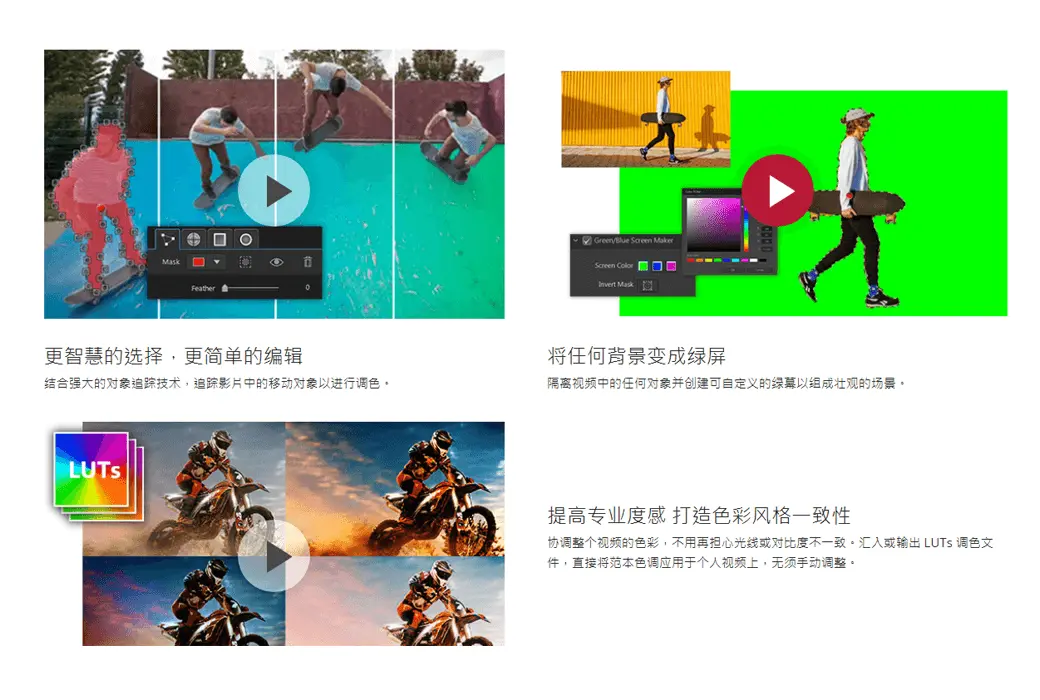
Combined with powerful object tracking technology, track moving objects in the film for color grading.
Isolate any object in the video and create a customizable green screen to create a spectacular scene.
Coordinate the colors of the entire video without worrying about inconsistent lighting or contrast. Import or export LUTs color files, directly apply template color tones to personal videos without manual adjustment.
Each segment is close to perfection
Create perfect color effects and bring an extraordinary cinematic feel! By using precise keyframe control and applying masks, you can perform multiple color substitutions in a video. And bring multiple color changes to the video.
Automatically copy color styles from any reference video. Enhanced color matching control allows you to fine tune your appearance.
Control and adjust the bright, mid tone, and dark areas in the video to provide the most professional color grading effect for the video!
Use color drawing tools to select the colors you want to preserve, while displaying other areas in grayscale.
Using the color changing slider, easily move left and right, and the key colors immediately change, making the overall visual clear at a glance.
Official Website:https://cn.cyberlink.com/products/colordirector/features_zh_CN.html
Download Center:https://colordirector.apsgo.cn
Shipping Time: Automatic shipment within 24 hours
Operating Platform: Windows
Interface Language: Supports Chinese interface display, with multiple languages available.
Update Instructions: Supports 1-year usage and updates.
Trial Before Purchase: A limited free version is available for use before purchase.
How to Receive the Product: After purchase, activation information will be sent to the email address used for the order. You can also view the corresponding product activation code in your personal center, under "My Orders".
Number of Devices: Can be installed on 1 computer.
Changing Computers: Uninstall on the original computer and activate on the new one.
Activation Guide:https://cn.cyberlink.com/downloads/application-manager/download_zh_CN.html
Special Notes: The version sold on the mall is the Ultimate Edition, which is only supported on the Windows platform.

Any question